

What's a waitlist?
A waitlist is a line you can join when a class is full. If the department has waitlisting turned on, you can add yourself to the list. When another student drops the class, the first person on the waitlist is notified through their Texas State email. You'll have 24 hours to register for the class before the next person on the list is notified.
How do I know if a class has a waitlist?
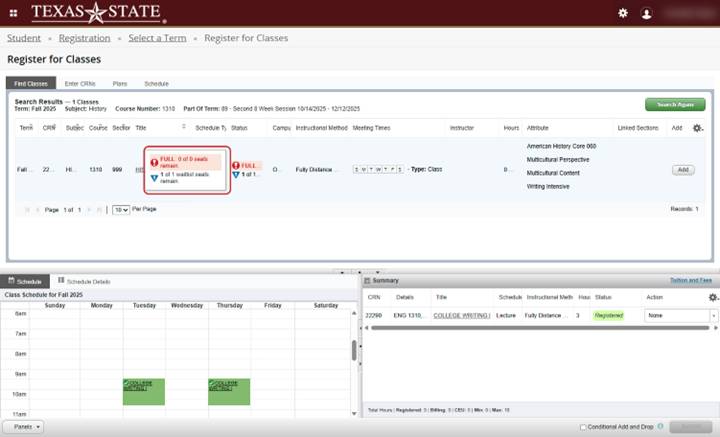
You can check this in the schedule of classes in Texas State Self-Service. The schedule will show how many seats are open and whether a waitlist is available. Example: "5 of 5 waitlist seats remain".
If there isn't a waitlist option, it could be because:
- The department decided not to use waitlists for that class
- The waitlist is already full
- You have a hold on your account that prevents you from registering or adding yourself to waitlists
- You're already registered or waitlisted for another section of that same course
Does joining a waitlist guarantee me a spot?
No. Being on the waitlist means you're waiting for a seat to open, but it doesn't guarantee you'll get into the class. Seats are offered in the order students joined the list.
How do I join a waitlist?
Instructions for joining a waitlist are available at the bottom of this page.
How will I know when I can register?
If a seat becomes available for you, the system will send an email to your NetID@txstate.edu campus email. You'll have 24 hours from the time the message was sent to register.
Check your BobcatMail often so you don't miss your chance.
What if I miss my 24-hour window?
If you miss your chance to register, your name will be removed from the list. You can add yourself again, but you'll be placed at the bottom of the waitlist.
How do I remove myself from a waitlist?
You can remove yourself from a waitlist the same way you would drop a class:
- Log in to Texas State Self-Service
- Select 'My Registration & Planning' from the left-side menu
- Click on 'Register or Change Schedule' in the Registration Portal
- Select the correct term
- Use the drop-down menu to remove yourself from the waitlist
Waitlist for a Course using Texas State Self-Service 9
1) Log in to Texas State Self-Service
To add a class, first log in to Texas State Self-Service.
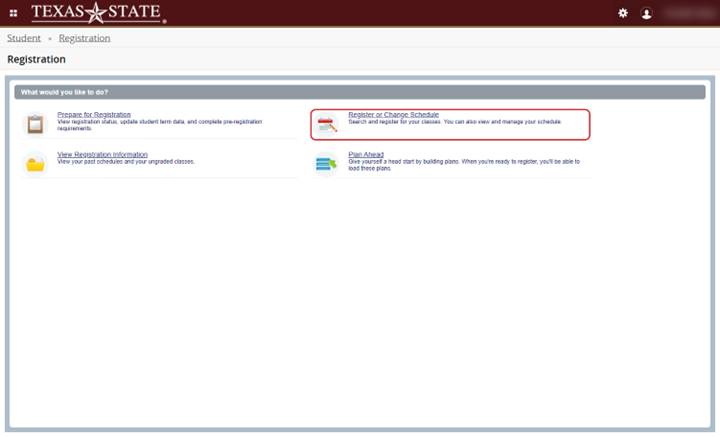
2) Registration Portal
From the launch page, click ‘Register or Change Schedule’
3) Select Term
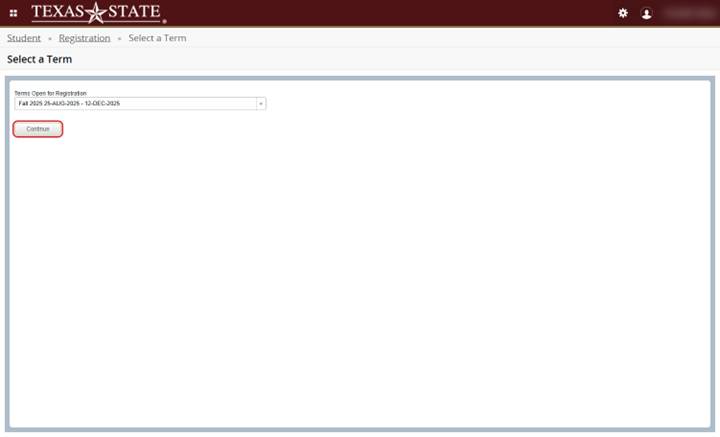
Select a term from the drop-down menu and click ‘Continue’
4) Search Criteria
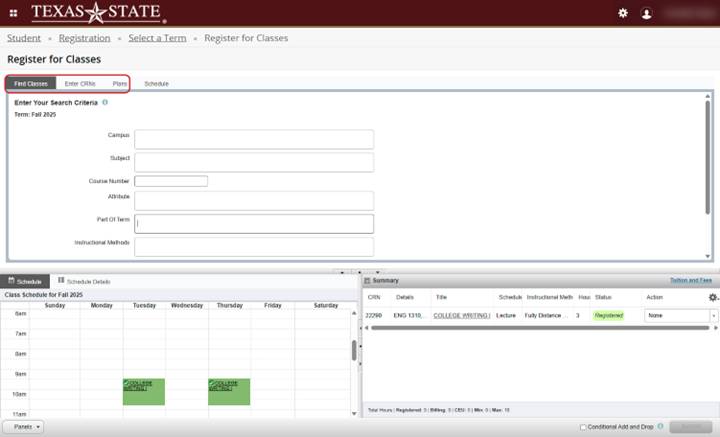
Search for classes using search criteria, the 'Enter CRNs' tab, 'Plans' tab, or 'Advanced Search' for more options
5) Check for Waitlist
A course that is full may show that there are waitlist seats available
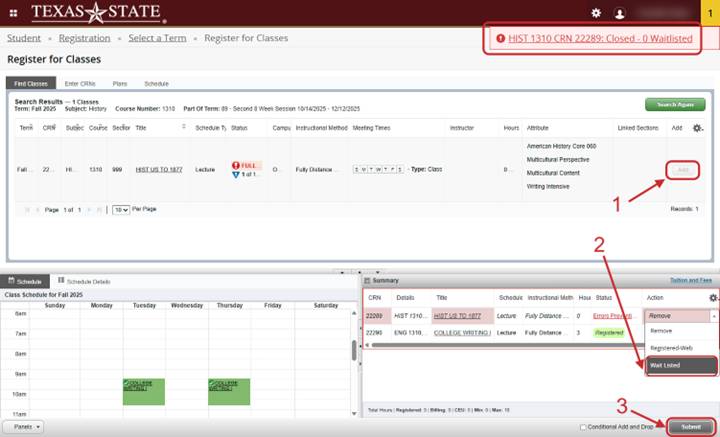
6) Click on Wait Listed
Click 'Add' to add it to your summary. Choose 'Wait Listed' from the 'Action' drop-down menu and then click 'Submit'
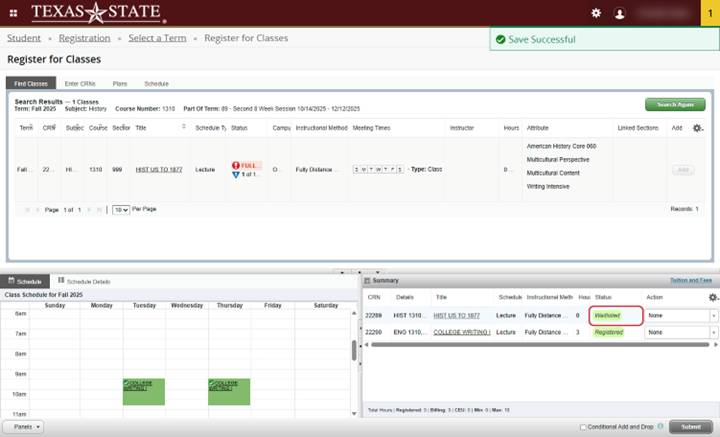
7) Waitlist Confirmation
Your position on the waitlist is confirmed when the status changes to 'Waitlisted'
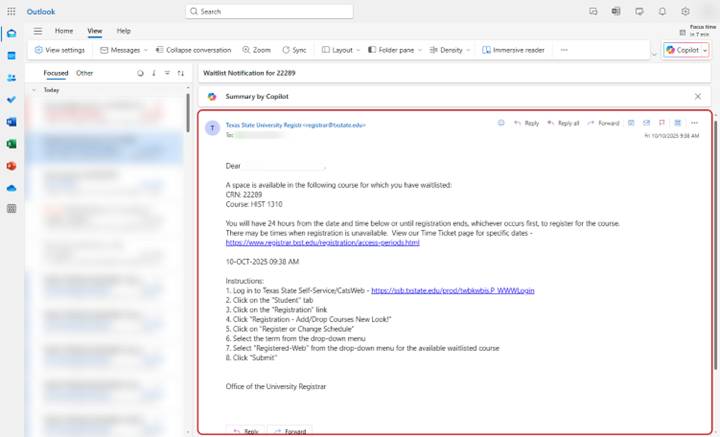
8) Waitlist Notification
If a seat becomes available for you, the system will send an email to your NetID@txstate.edu campus email. You'll have 24 hours from the time the message was sent to register.
9) Register for Waitlisted Course
Choose ‘Registered-Web’ from the ‘Action’ drop-down menu and click ‘Submit’
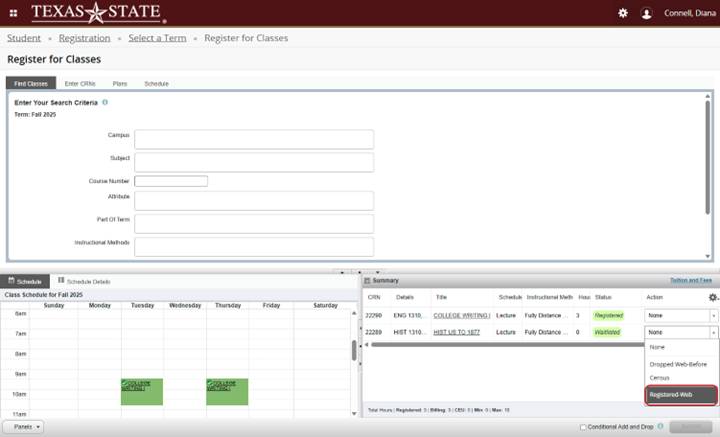
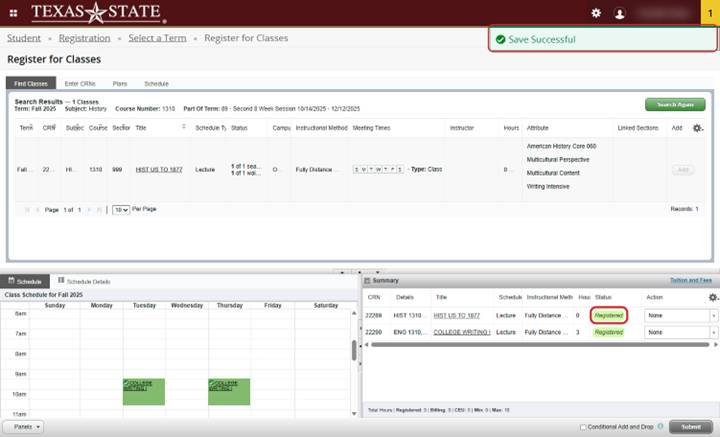
10) Successfully Registered
You have successfully registered when the status has changed from ‘Waitlisted’ to ‘Registered’